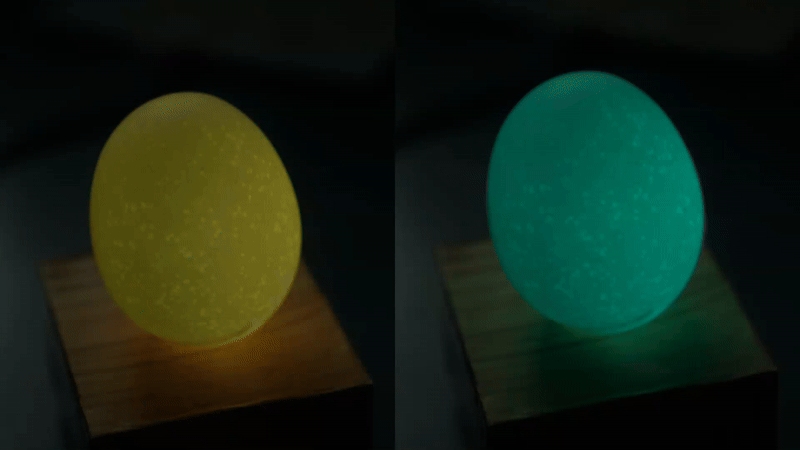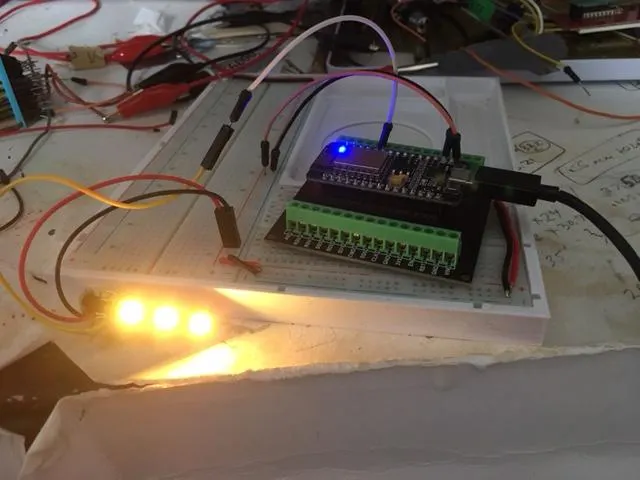
This simple IoT project brings that idea to life using a NodeMCU and WS2812B NeoPixel LEDs. It connects to the OpenWeatherMap API over Wi-Fi and changes colors in real time based on the weather outside—rain, sun, clouds, all reflected through light.
It’s a fun, hands-on build that naturally teaches you how APIs work, how to handle JSON data, and how to control LED animations. If you’re getting into IoT or embedded projects, this is one of those builds that actually feels useful—and looks pretty cool on your desk too.
How It Works ?
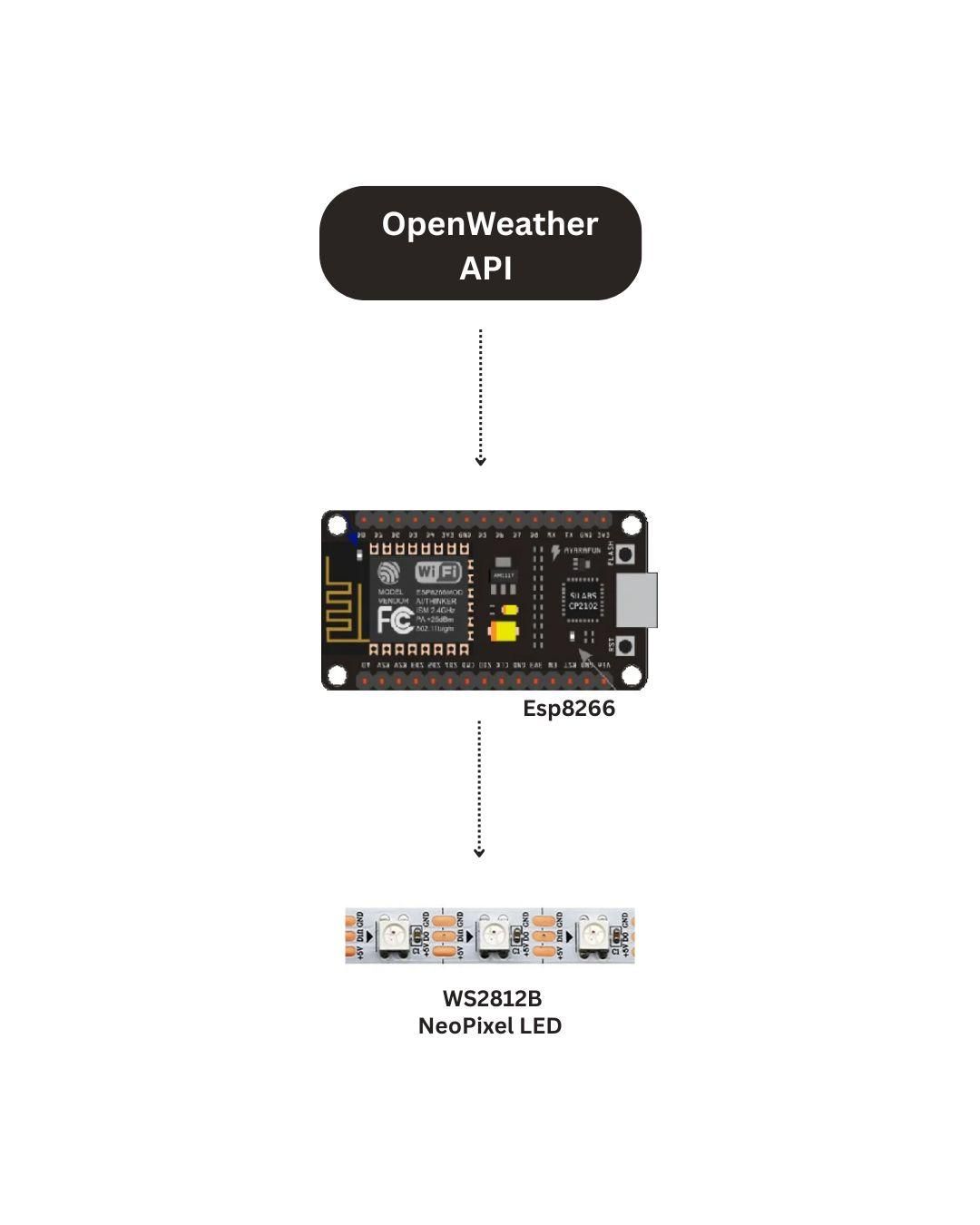
Every 10 minutes, the Node MCU sends an HTTP GET request to the OpenWeatherMap API using your city name or coordinates. The API returns a JSON response containing a weather condition code (like 800 for clear sky, 500 for light rain, 200 for thunderstorm).
The Node MCU parses this code and triggers a matching LED animation on the NeoPixel ring inside the translucent egg shell, diffusing the light beautifully through the surface.
Components List
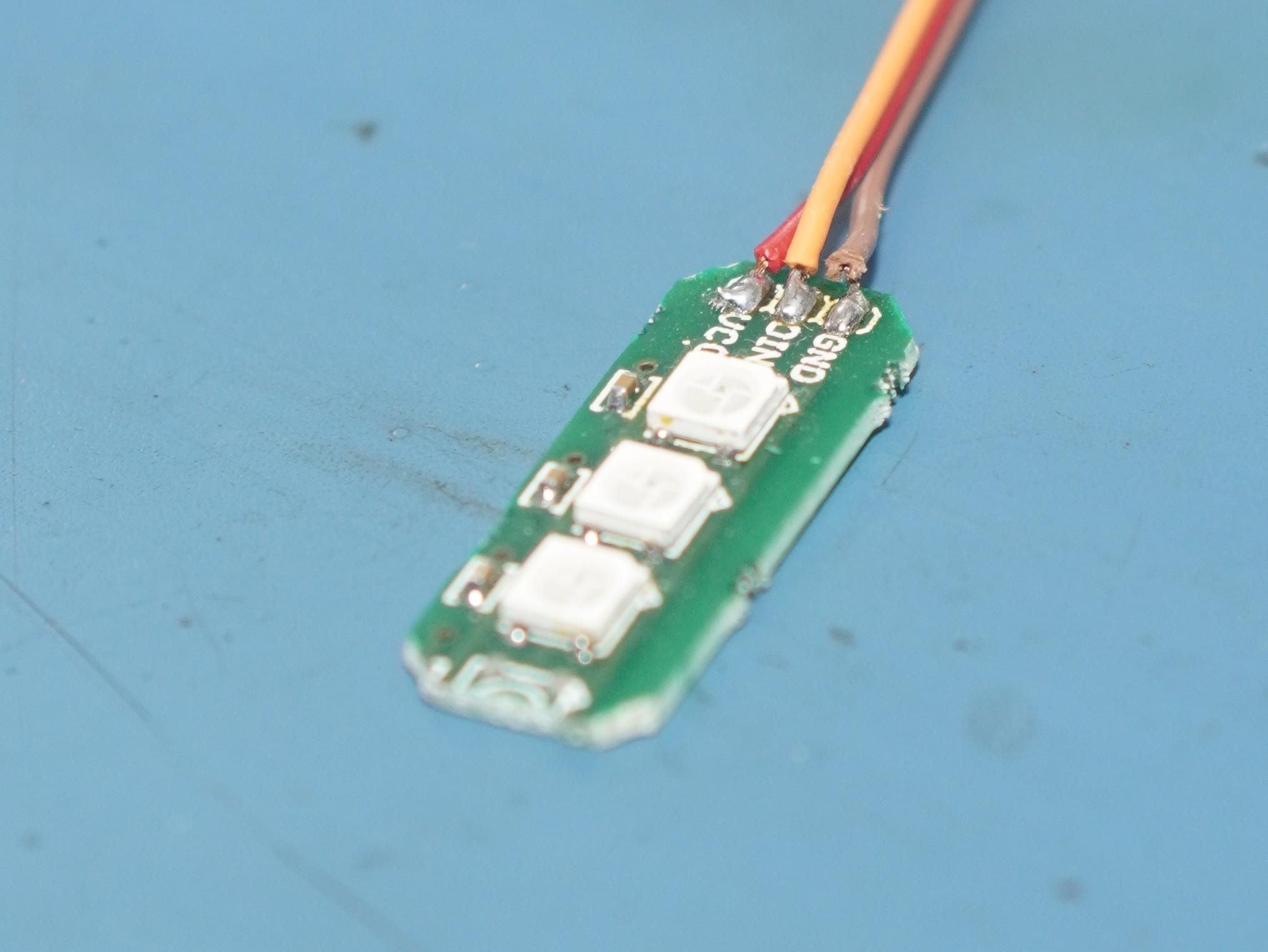
Circuit Diagram
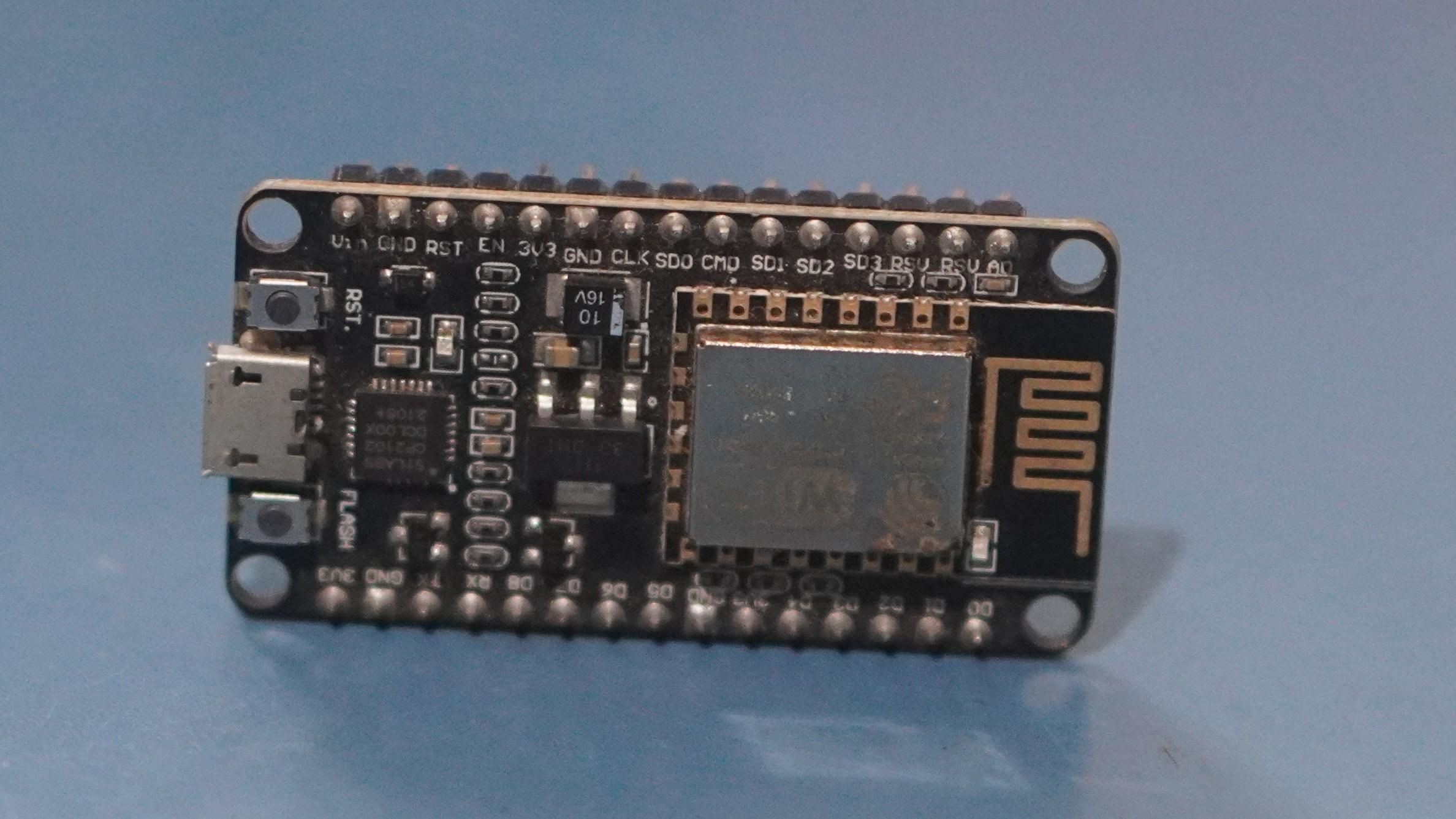
Connect the Neo Pixel LED to the Node MCU as follows:
Data → D4 (GPIO2)
VCC → 5V
GND → GND

To Get Weather API key
Step - 1

Go go Openwheather and sign in and Click on profile and click My Api Keys
Step - 2
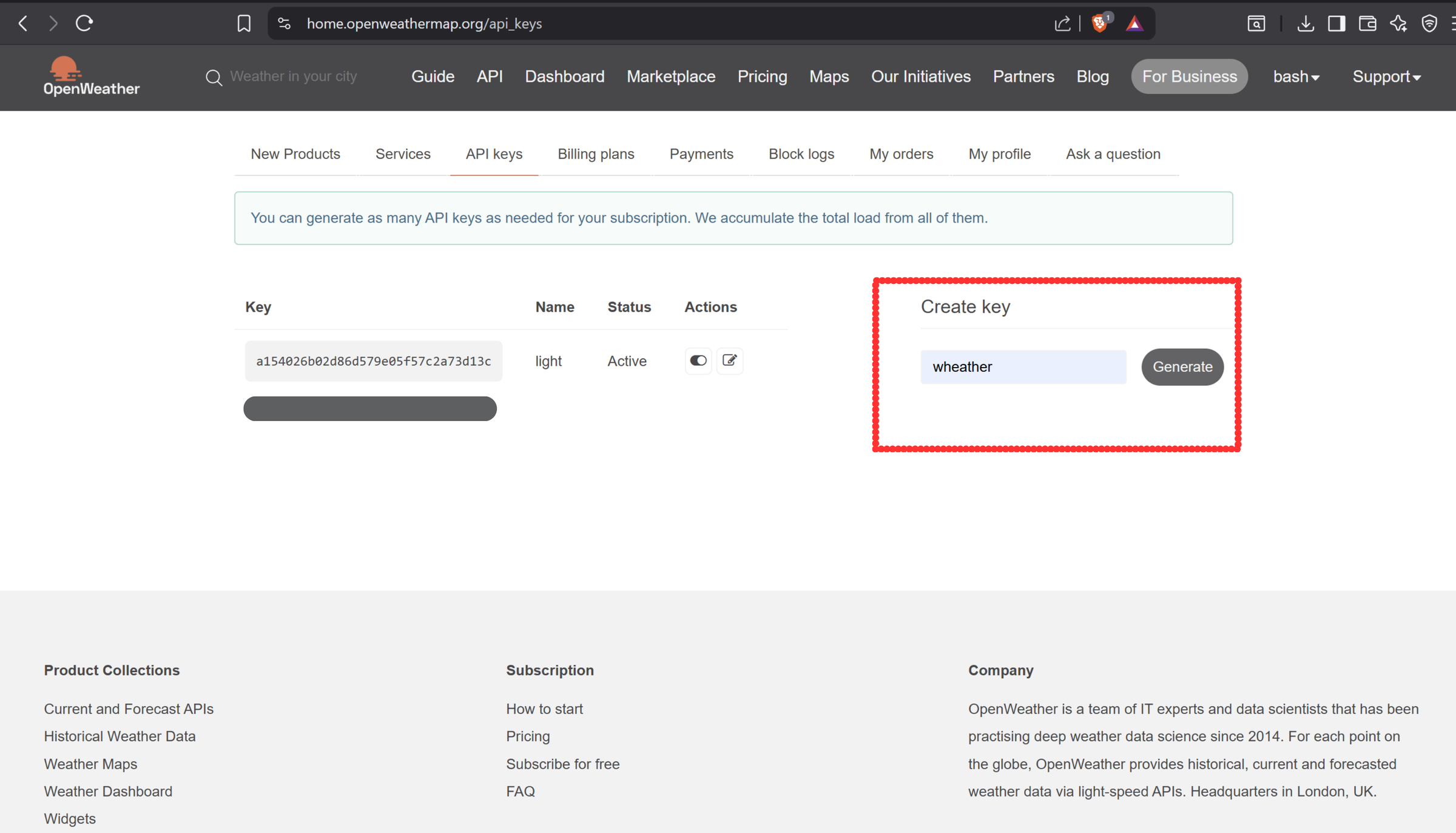
Enter an api name inside create key. Here my api name is weather.
Step - 3
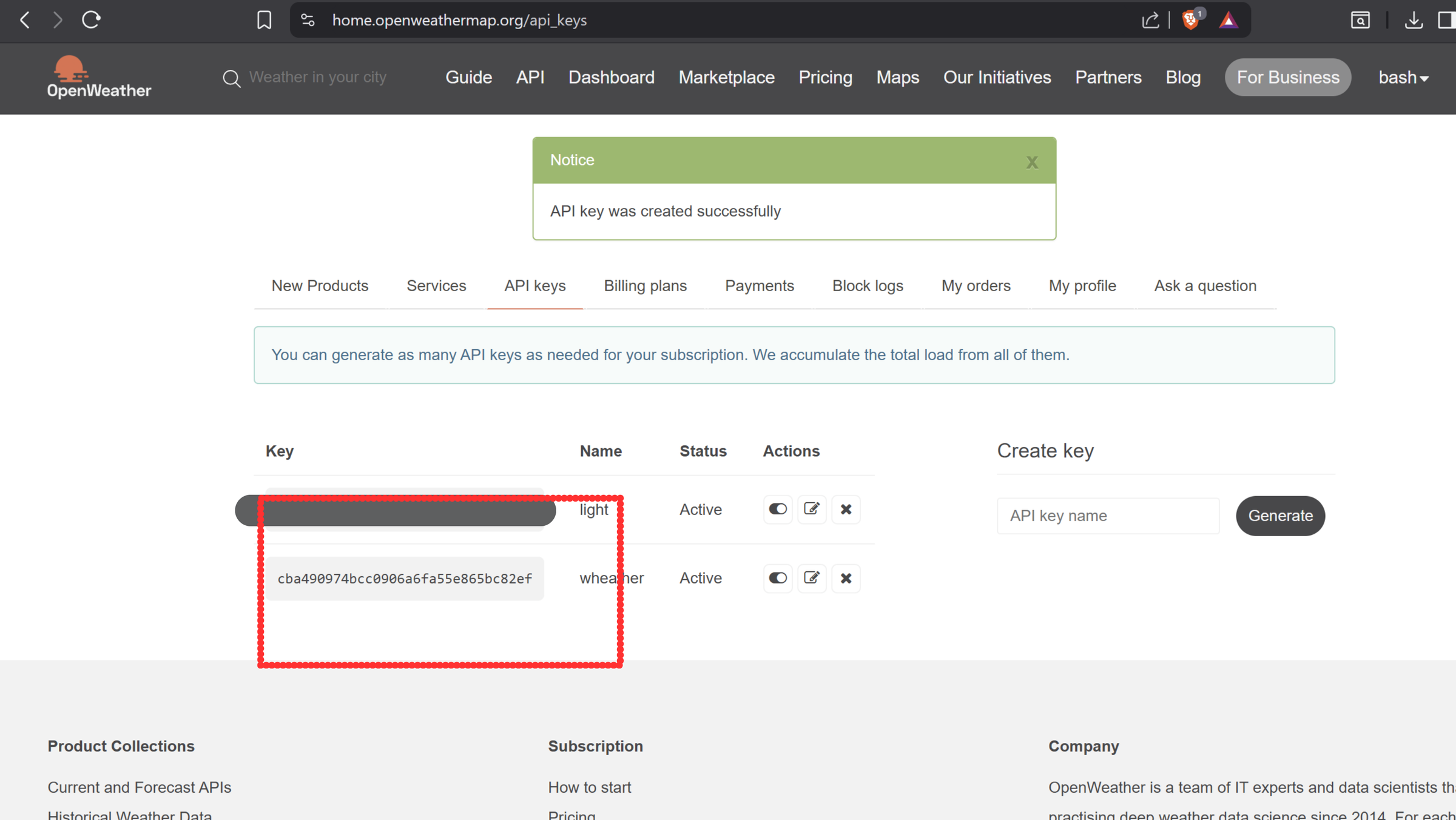
Copy the api key.
Use paid features, for more accurate and real-time weather data.
Setup Arduino IDE
Install:
- ESP8266 Board Package (via Board Manager)
- Adafruit NeoPixel Library
- ArduinoJSON Library
- Copy the arduino code below.
#include <ESP8266WiFi.h>

#include <ESP8266HTTPClient.h>

#include <ArduinoJson.h>

#include <Adafruit_NeoPixel.h>


// ====== WiFi & API Config ======

const char* ssid     = "home"; //replace with your wifi name

const char* password = "password"; //replace with your wifi password

const String apiKey  = "// Replace with your key"; // Replace with your key

const float latitude = 1123.23;  //replace with your latitude

const float longitude = 235.2785; //replace with your longitude


// ====== LED Config ======

#define LED_PIN    2

#define LED_COUNT  3

Adafruit_NeoPixel strip(LED_COUNT, LED_PIN, NEO_GRB + NEO_KHZ800);


// ====== Animation Variables ======

uint32_t baseColor = strip.Color(0, 255, 0); // Current color

uint32_t targetColor = baseColor;

uint32_t prevColor = baseColor;

unsigned long colorChangeStart = 0;

unsigned long colorChangeDuration = 3000; // 3 sec smooth fade


float phaseOffsets[LED_COUNT] = {0.0, 0.33, 0.66};

float speed = 0.015; // breathing speed

unsigned long startTime;


// ====== Timing ======

unsigned long lastUpdate = 0;

unsigned long weatherUpdateInterval = 15 * 60 * 1000; // 15 minutes


// ====== Interpolate Colors ======

uint32_t interpolateColor(uint32_t c1, uint32_t c2, float t) {

  uint8_t r1 = (c1 >> 16) & 0xFF;

  uint8_t g1 = (c1 >> 8) & 0xFF;

  uint8_t b1 = c1 & 0xFF;


  uint8_t r2 = (c2 >> 16) & 0xFF;

  uint8_t g2 = (c2 >> 8) & 0xFF;

  uint8_t b2 = c2 & 0xFF;


  uint8_t r = r1 + (r2 - r1) * t;

  uint8_t g = g1 + (g2 - g1) * t;

  uint8_t b = b1 + (b2 - b1) * t;


  return strip.Color(r, g, b);

}


// ====== Map Weather to Colors ======

void mapWeatherToColors(float temp, String weather) {

  weather.toLowerCase();

  Serial.printf("[MAP] Temp: %.1f°C, Weather: %s\n", temp, weather.c_str());


  if (temp > 32) {

    targetColor = strip.Color(255, 0, 0); // Hot = Red

  } else if (temp < 20) {

    targetColor = strip.Color(0, 255, 0); // Cool = Orange

  } else if (weather.indexOf("clear") != -1) {

    targetColor = strip.Color(255, 255, 0); // Sunny = Yellow

  } else if (weather.indexOf("cloud") != -1) {

    targetColor = strip.Color(0, 255, 255); // Cloudy = Green (changed from Cyan)

  } else if (weather.indexOf("rain") != -1) {

    targetColor = strip.Color(0, 0, 255); // Rain = Blue

  } else if (weather.indexOf("thunderstorm") != -1) {

    targetColor = strip.Color(128, 0, 255); // Purple

  } else if (weather.indexOf("drizzle") != -1) {

    targetColor = strip.Color(0, 128, 255); // Light Blue

  } else if (weather.indexOf("mist") != -1 || weather.indexOf("haze") != -1 || weather.indexOf("fog") != -1) {

    targetColor = strip.Color(255, 105, 180); // Pink

  } else {

    targetColor = strip.Color(0, 255, 0); // Default Green

  }


  prevColor = baseColor;

  colorChangeStart = millis();

}


// ====== Fetch Weather ======

void fetchWeather() {

  Serial.println("[API] Fetching weather data...");

  WiFiClient client;

  HTTPClient http;


  String url = "http://api.openweathermap.org/data/2.5/weather?lat=" + String(latitude, 4) +

               "&lon=" + String(longitude, 4) +

               "&units=metric&appid=" + apiKey;


  if (http.begin(client, url)) {

    int httpCode = http.GET();

    if (httpCode == HTTP_CODE_OK) {

      String payload = http.getString();

      StaticJsonDocument<1024> doc;

      if (!deserializeJson(doc, payload)) {

        float temp = doc["main"]["temp"];

        String weather = doc["weather"][0]["main"].as<String>();

        mapWeatherToColors(temp, weather);

      } else {

        Serial.println("[ERROR] JSON parse failed");

      }

    } else {

      Serial.printf("[ERROR] HTTP GET failed, code: %d\n", httpCode);

    }

    http.end();

  } else {

    Serial.println("[ERROR] HTTP begin failed");

  }

}


// ====== Breathing Effect ======

void updateBreathing() {

  // Breathing cycle: 5 seconds per breath (adjust for slower/faster)

  float speed = 5000.0;

  float cycle = (millis() % (unsigned long)speed) / speed; // 0 to 1

  float sineValue = sin(cycle * 2 * PI) * 0.5 + 0.5; // 0 to 1


  // Keep brightness between 40% and 100%

  float brightnessScale = 0.3 + (sineValue * 0.6); // 0.4 → 100%


  // Color transition blend

  uint8_t r = ((prevColor >> 16) & 0xFF) + (((targetColor >> 16) & 0xFF) - ((prevColor >> 16) & 0xFF)) * easeInOutQuad((millis() - colorChangeStart) / 2000.0);

  uint8_t g = ((prevColor >> 8) & 0xFF) + (((targetColor >> 8) & 0xFF) - ((prevColor >> 8) & 0xFF)) * easeInOutQuad((millis() - colorChangeStart) / 2000.0);

  uint8_t b = (prevColor & 0xFF) + (((targetColor & 0xFF) - (prevColor & 0xFF)) * easeInOutQuad((millis() - colorChangeStart) / 2000.0));


  // Apply breathing brightness

  strip.setPixelColor(0, r * brightnessScale, g * brightnessScale, b * brightnessScale);

  strip.setPixelColor(1, r * brightnessScale, g * brightnessScale, b * brightnessScale);

  strip.setPixelColor(2, r * brightnessScale, g * brightnessScale, b * brightnessScale);


  strip.show();

}


// Smooth easing function

float easeInOutQuad(float t) {

  if (t < 0) return 0;

  if (t > 1) return 1;

  return t < 0.5 ? 2 * t * t : -1 + (4 - 2 * t) * t;

}

// ====== Blink Blue while Connecting ======

void blinkWhileConnecting() {

  bool on = false;

  while (WiFi.status() != WL_CONNECTED) {

    uint32_t color = on ? strip.Color(0, 120, 255) : strip.Color(0, 0, 0);

    for (int i = 0; i < LED_COUNT; i++) {

      strip.setPixelColor(i, color);

    }

    strip.show();

    on = !on;

    delay(500);

  }

}


// ====== Setup ======

void setup() {

  Serial.begin(115200);

  strip.begin();

  strip.show();

  startTime = millis();


  Serial.println("[WiFi] Connecting...");

  WiFi.begin(ssid, password);

  blinkWhileConnecting();

  Serial.println("\n[WiFi] Connected!");


  fetchWeather();

  lastUpdate = millis();

}


// ====== Loop ======

void loop() {

  updateBreathing();


  if (millis() - lastUpdate > weatherUpdateInterval) {

    fetchWeather();

    lastUpdate = millis();

  }

}
Enter your credentials
const char* ssid = "home"; //replace with your wifi name

const char* password = "password"; //replace with your wifi password

const String apiKey = "// Replace with your key"; // Replace with your key

const float latitude = 1123.23; //replace with your latitude

const float longitude = 235.2785; //replace with your longitude
Update the Credentials with yours and upload the code.